Key Takeaways:
- Carry‑on approval and size matter. Airlines generally allow you to bring camera gear as a carry‑on, but the bag still needs to meet standard cabin dimensions and weight limits (around 56 × 36 × 23 cm and 7–10 kg). Choosing a bag that counts as your personal item keeps it close and avoids forced gate‑checks.
-
Lithium‑ion batteries and spares must always ride in your carry‑on with terminals covered; checked baggage isn’t allowed. Keep gear packed snugly and use clothes or wraps for extra padding.
-
Use a quality camera gear organizer. A padded camera backpack or roller with customizable dividers protects delicate equipment and prevents things from crashing into each other. Consider Sakk Pack V2 or Sakk Pack Cube, which offer water‑resistant fabrics and modular compartments.
-
Simplify your kit and stay compliant. Pack only what you’ll actually use. Versatile lenses and essential accessories, and leave redundant gear at home.
-
Plan your security workflow. Arrive early, pack batteries, cameras, and lenses near the top of your bag, and be prepared to remove them for separate screening. A quick‑access pouch or tech organizer, such as the Carry Cell Tech Organizer, keeps small items and cables orderly.
-
Protect gear from overhead‑bin chaos. If possible, store your camera bag under the seat. Overhead bins shift during takeoff and landing; lay the bag flat and place heavier items beneath it to prevent tumbling.
![]()
 Why Carry‑On Rules Matter for Photographers
Airline policies aren’t just legal fine print; following them ensures that your valuable camera gear arrives unscathed. Standard carry‑on dimensions in the U.S. hover around 55.9 × 35.6 × 22.9 cm, while international flights often allow 56 × 36 × 23 cm.

Weight limits vary from 7 kg to 10 kg. Budget carriers often have stricter rules, so always check your airline’s policy. If overhead bins are full, you may be asked to gate‑check your bag even if it meets specifications, which is one reason to minimize your kit.
Lithium batteries deserve special attention.
According to the U.S. Federal Aviation Administration, spare lithium metal and lithium‑ion batteries are prohibited in checked baggage and must be carried in the cabin
If your carry‑on is gate‑checked, you must remove those spares and keep them with you.
Terminals should be covered or taped and stored separately to prevent short circuits. Damaged or recalled batteries should be left behind.
These rules aren’t just bureaucratic; they reduce fire risk and ensure cabin crew can respond quickly.
Camera Gear Carry‑On Rules: Dimensions, Weight & Policy
Flying with a bag of lenses, bodies, and accessories presents unique challenges. Start by choosing a carry‑on that meets airline dimensions.
Many camera backpacks are bulkier than typical personal‑item allowances, but some, like Sakk Gear’s 6 L Xplorer Camera Sling and Nomad Laptop & Camera Sling, fit under seat allowances while still holding a professional kit.

For longer journeys, a 25 L or 28 L backpack qualifies as carry‑on and can hold extra clothing alongside your kit.
When selecting a bag, look for customizable dividers, waterproof fabrics, and lockable zippers.
A bag that can compress slightly helps when an airline agent questions its size. It’s also wise to carry an outer rain cover or to pack silica gel packs to manage humidity changes.
Most airlines let you bring a personal item in addition to a carry‑on; using your camera bag as your personal item means it never leaves your sight.
Some travellers keep a small messenger or sling bag under the seat for a camera body and one lens, with the rest stored overhead.
Weight Limits and Managing Heavy Gear
Weight is often more problematic than dimensions. Dedicated camera backpacks can weigh several kilos empty, so minimize what you bring.
Use one or two versatile lenses, like a fast mid‑range zoom and a prime lens, often suffice. Leave redundant specialty lenses at home unless you have a specific project. Carrying a heavy tripod? Consider shipping it ahead or checking it in a hard case; we’ll discuss checked gear below.
Some travellers redistribute weight to avoid overage fees. Wearing a jacket with deep pockets or a camera strapped across your shoulder can lighten your bag; just ensure you don’t violate security protocols.
Note that airlines may weigh your carry‑on at the gate, especially on smaller or low‑cost carriers, so have a plan if you’re told to check it.
This could involve shifting a lens or battery to a companion’s bag or personal item.
Battery Rules and Airport Security Prep
Lithium batteries are subject to strict rules. Spare (uninstalled) lithium batteries must travel in the cabin and remain accessible
If you are forced to gate‑check your bag, remove those spares before handing it over.
Cover terminals with tape or use the original packaging to prevent accidental activation or short circuits. Damaged or recalled batteries should never board a plane.
During security screening, TSA officers may ask you to remove cameras, lenses, and large batteries for separate inspection
Arrive early so you’re not rushed and have time to repack carefully. Keep cables and small accessories neatly organized to speed up the process.
A compact pouch or tech organizer (for example, the Axis Clip Tech Pouch or Carry Cell Tech Organizer) holds cords, memory cards, and adapters in one place, preventing a jumbled tangle that could delay your screening.

For a smoother experience, consider applying for TSA PreCheck or the equivalent in your country. This expedited screening often allows you to leave laptops, liquids, and sometimes cameras in your bag. Even with PreCheck, you may occasionally be asked to remove equipment, so pack gear near the top for quick access.
Packing Batteries Safely
Place camera bodies and lenses deeper in the bag to protect them, but keep batteries and electronics near the top so they can be removed quickly.
Use battery cases or silicone covers to protect terminals and prevent them from contacting metal objects. Always carry a portable charger or power bank (within airline watt-hour limits) to top up devices during the journey.
According to FAA guidelines, power banks count as spare lithium batteries and must remain in the cabin.
For international travel, check each country’s regulations. Some airlines limit the number of spare batteries or total watt-hours.
A common rule permits two spares between 101–160 Wh per person with airline approval, but always verify specifics. Labeling your battery capacity clearly can help expedite checks.
Packing Order and Quick‑Access Pouch Strategy
Efficiency at the airport is all about preparation and layout. Before your trip, lay out every piece of gear you intend to bring and categorize it by frequency of use. Items you’ll need during the flight (camera body, favorite lens, headphones, medication) should be easily reachable; seldom‑used accessories (filters, extra straps) can sit deeper in the bag.
Step‑By‑Step Packing Workflow
-
Start with a clean slate. Empty your camera bag and vacuum or brush out debris. Inspect zippers and seams.
-
Place heavy items at the bottom. This includes camera bodies and the largest lens. To protect gear from jostling, use padded dividers or wrap items in soft clothing.
By following a systematic packing order, you’ll find items quickly, reduce stress, and avoid jostling. When closing your bag, shake it gently; if you hear shifting, adjust the padding until everything stays snug.
Quick‑Access Pouch Tips
A quick‑access pouch is your secret weapon when going through security. Use it to hold:
-
Spare batteries (terminals covered). Remove the entire pouch at security so agents can see batteries without digging through your bag.
-
Cables, chargers, and card readers. Coiling cables neatly prevents them from tangling with other gear.
-
Travel documents and ID. Keeping passports and boarding passes together speeds up check‑in.
-
Memory cards and SSDs. Use small cases to organize your cards by size and type; backups are essential.

A pouch like Sakk Gear’s Carry Cell Tech Organizer features elastic loops and zippered pockets, making it ideal for this purpose. Because the pouch is separate, you can place it in a tray at security and repack quickly when you’re cleared.
Protecting Gear From Overhead‑Bin Chaos
Once aboard, your battle isn’t over. Overhead bins can be rough on equipment: fellow passengers may cram heavy bags above yours, and turbulence can throw items around.
Whenever possible, place your camera bag under the seat in front of you. This area offers more stability and means you can keep an eye on your gear during the flight.
If the bag must go overhead:
-
Use locks or cable ties to secure zippers. While theft is rare, a simple lock deters opportunists. Some camera bags, such as Sakk Pack V2, have built‑in lockable zippers for added security.

During takeoff and landing, monitor overhead bins. If you see movement or hear thumps, ask a flight attendant for assistance. Remember that you are ultimately responsible for your gear; crew members may not be aware of its fragility.
Climate and Post‑Flight Considerations
Air travel often involves drastic temperature and humidity changes.
After landing, avoid opening your bag immediately; allow 20–30 minutes for your gear to acclimate to the new environment.
Rapid temperature shifts can cause condensation on sensors and lens elements, which may lead to fungus or corrosion. Packing silica gel packs inside your bag helps absorb excess moisture.
In tropical climates, bring a small dry bag or waterproof case. Sakk’s Flexform 3‑Way Laptop Bag has a weather‑resistant exterior and can double as a camera insert.
Checked Baggage: When You Have No Choice
Sometimes you must check equipment like tripods, stabilizers, or lighting stands won’t fit in carry‑on compartments. When that happens, use a hard‑shell protective case.
Cases rated for airline transport have reinforced corners, waterproof seals, and pressure valves. Add tamper‑evident ties, label your case with your contact information, and photograph its contents.
This documentation is invaluable for insurance claims if the case is damaged or lost.
Never check delicate items like camera bodies, lenses, or batteries; those should always stay in the cabin. If your bag is slightly overweight and you need to transfer weight, move a lens or two into a jacket pocket or a companion’s bag.
If you anticipate checking gear often, investing in a modular system, such as Sakk Gear’s Sakk Attach, allows you to separate components quickly.

Featured Gear for Traveling Photographers
Sakk Pack V2: A Large Camera Backpack for Cinema & Laptop
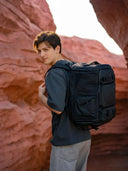
Sakk Pack V2 is a versatile camera gear organizer designed for filmmakers and photographers who need to carry a laptop, cameras, and multiple lenses.
It offers modular padded dividers, a water‑resistant exterior, and a rear‑access panel that keeps your gear secure when you’re navigating crowds.
Lockable zippers deter thieves, and the bag can compress to meet strict airline size requirements. If you’re flying with multiple bodies and longer lenses, this is an excellent all‑rounder.
Sakk Pack Cube: A Compact Camera Bag for Travel
For photographers traveling light, the Sakk Pack Cube acts as an insert or stand‑alone bag.
It fits a mirrorless body and two lenses and features waterproof zippers and removable dividers.
Because it’s compact, it easily qualifies as a personal item. Pair it with the 6 L Xplorer Camera Sling for day trips after you arrive at your destination.
Everyday Organizer Tote and Axis Clip Tech Pouch
These accessories keep your small essentials tidy.

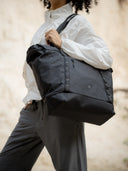
The Everyday Organizer Tote can carry a tablet, notebook, and personal items, while the Axis Clip Tech Pouch is perfect for cables, chargers, and batteries.
Having a dedicated pouch for your accessories not only improves workflow at security but also ensures you can find what you need quickly mid‑flight.
Integrating these pieces into your travel kit means you’ll always have the right level of storage, whether you’re working from a laptop at 35,000 feet or trekking through city streets.
Ready for Takeoff: Traveling With Camera Gear Doesn’t Have to Be Stressful
Flying with camera equipment can feel daunting, but with the right preparation, it becomes a manageable part of your creative workflow.
Knowing the carry‑on size and weight limits, packing efficiently, and following battery safety rules ensure compliance and safety.
Choosing the right camera gear organizer, such as the Sakk Pack V2 or Sakk Pack Cube, protects your equipment and keeps it accessible.
A methodical packing order, quick‑access pouch strategy, and awareness of overhead‑bin dynamics help you navigate airports with confidence.
Finally, by thinking ahead, reducing your kit, securing insurance, and carrying backups, you safeguard your gear and your creative vision. Embrace these strategies, and your next flight with camera gear will be as smooth as your shutter release.
Additional Tips:
-
Add a medium‑sized gear in the middle. These might include additional lenses, flashes, or microphones. Use smaller dividers to separate each piece and prevent collision.
-
Pack accessories and batteries in a quick‑access pouch. A dedicated pouch or the Everyday Organizer Tote can hold memory cards, cables, chargers, and spare batteries. Stash this at the top of your bag so you can pull it out at security without digging through compartments.
-
Stow fragile items separately. If you’re carrying a second camera body or drone, wrap it individually and pad it with clothing. Remove lenses from cameras to reduce stress on mounts.
-
Leave space for personal items. Allocate a pocket for travel documents, headphones, and snacks. Consider a separate zippered pouch for valuables to reduce theft risk.
- Keep an emergency kit. Pack microfiber cloths, lens cleaning solution, zip tie,s and small tools. Keep a list of serial numbers and an SD card with copies of important documents; store digital backups on a secure cloud service.
- Place heavier items beneath it. Use your jacket or another passenger’s bag as a cushion to minimize shifting.
-
Carry backups and redundancies. Bring multiple memory cards and at least one extra battery; always carry a portable SSD or cloud backup solution.
-
Maintain a digital inventory. Keep a file with your gear’s serial numbers and values. Photograph your packed bag before travel; this documentation simplifies claims if something goes wrong.
-
Stay hydrated and comfortable. A comfortable photographer is a focused one. Bring noise‑cancelling headphones, snacks, and water. Using a bag with breathable back panels reduces fatigue on long airport walks.
- Stay polite but firm with airline staff. If an agent insists on checking your carry‑on, explain that it contains lithium‑ion batteries and delicate gear. Politely ask to remove the batteries and pack them in your personal item.






How to Fly With Camera Gear: Carry‑On Rules, Packing Order, and Airport‑Friendly Setup
Key Takeaways:
Lithium‑ion batteries and spares must always ride in your carry‑on with terminals covered; checked baggage isn’t allowed. Keep gear packed snugly and use clothes or wraps for extra padding.
Use a quality camera gear organizer. A padded camera backpack or roller with customizable dividers protects delicate equipment and prevents things from crashing into each other. Consider Sakk Pack V2 or Sakk Pack Cube, which offer water‑resistant fabrics and modular compartments.
Simplify your kit and stay compliant. Pack only what you’ll actually use. Versatile lenses and essential accessories, and leave redundant gear at home.
Plan your security workflow. Arrive early, pack batteries, cameras, and lenses near the top of your bag, and be prepared to remove them for separate screening. A quick‑access pouch or tech organizer, such as the Carry Cell Tech Organizer, keeps small items and cables orderly.
Protect gear from overhead‑bin chaos. If possible, store your camera bag under the seat. Overhead bins shift during takeoff and landing; lay the bag flat and place heavier items beneath it to prevent tumbling.
Airline policies aren’t just legal fine print; following them ensures that your valuable camera gear arrives unscathed. Standard carry‑on dimensions in the U.S. hover around 55.9 × 35.6 × 22.9 cm, while international flights often allow 56 × 36 × 23 cm.
Weight limits vary from 7 kg to 10 kg. Budget carriers often have stricter rules, so always check your airline’s policy. If overhead bins are full, you may be asked to gate‑check your bag even if it meets specifications, which is one reason to minimize your kit.
Lithium batteries deserve special attention.
According to the U.S. Federal Aviation Administration, spare lithium metal and lithium‑ion batteries are prohibited in checked baggage and must be carried in the cabin
If your carry‑on is gate‑checked, you must remove those spares and keep them with you.
Terminals should be covered or taped and stored separately to prevent short circuits. Damaged or recalled batteries should be left behind.
These rules aren’t just bureaucratic; they reduce fire risk and ensure cabin crew can respond quickly.
Camera Gear Carry‑On Rules: Dimensions, Weight & Policy
Flying with a bag of lenses, bodies, and accessories presents unique challenges. Start by choosing a carry‑on that meets airline dimensions.
Many camera backpacks are bulkier than typical personal‑item allowances, but some, like Sakk Gear’s 6 L Xplorer Camera Sling and Nomad Laptop & Camera Sling, fit under seat allowances while still holding a professional kit.
For longer journeys, a 25 L or 28 L backpack qualifies as carry‑on and can hold extra clothing alongside your kit.
When selecting a bag, look for customizable dividers, waterproof fabrics, and lockable zippers.
A bag that can compress slightly helps when an airline agent questions its size. It’s also wise to carry an outer rain cover or to pack silica gel packs to manage humidity changes.
Most airlines let you bring a personal item in addition to a carry‑on; using your camera bag as your personal item means it never leaves your sight.
Some travellers keep a small messenger or sling bag under the seat for a camera body and one lens, with the rest stored overhead.
Weight Limits and Managing Heavy Gear
Weight is often more problematic than dimensions. Dedicated camera backpacks can weigh several kilos empty, so minimize what you bring.
Use one or two versatile lenses, like a fast mid‑range zoom and a prime lens, often suffice. Leave redundant specialty lenses at home unless you have a specific project. Carrying a heavy tripod? Consider shipping it ahead or checking it in a hard case; we’ll discuss checked gear below.
Some travellers redistribute weight to avoid overage fees. Wearing a jacket with deep pockets or a camera strapped across your shoulder can lighten your bag; just ensure you don’t violate security protocols.
Note that airlines may weigh your carry‑on at the gate, especially on smaller or low‑cost carriers, so have a plan if you’re told to check it.
This could involve shifting a lens or battery to a companion’s bag or personal item.
Battery Rules and Airport Security Prep
Lithium batteries are subject to strict rules. Spare (uninstalled) lithium batteries must travel in the cabin and remain accessible
If you are forced to gate‑check your bag, remove those spares before handing it over.
Cover terminals with tape or use the original packaging to prevent accidental activation or short circuits. Damaged or recalled batteries should never board a plane.
During security screening, TSA officers may ask you to remove cameras, lenses, and large batteries for separate inspection
Arrive early so you’re not rushed and have time to repack carefully. Keep cables and small accessories neatly organized to speed up the process.
A compact pouch or tech organizer (for example, the Axis Clip Tech Pouch or Carry Cell Tech Organizer) holds cords, memory cards, and adapters in one place, preventing a jumbled tangle that could delay your screening.
For a smoother experience, consider applying for TSA PreCheck or the equivalent in your country. This expedited screening often allows you to leave laptops, liquids, and sometimes cameras in your bag. Even with PreCheck, you may occasionally be asked to remove equipment, so pack gear near the top for quick access.
Packing Batteries Safely
Place camera bodies and lenses deeper in the bag to protect them, but keep batteries and electronics near the top so they can be removed quickly.
Use battery cases or silicone covers to protect terminals and prevent them from contacting metal objects. Always carry a portable charger or power bank (within airline watt-hour limits) to top up devices during the journey.
According to FAA guidelines, power banks count as spare lithium batteries and must remain in the cabin.
For international travel, check each country’s regulations. Some airlines limit the number of spare batteries or total watt-hours.
A common rule permits two spares between 101–160 Wh per person with airline approval, but always verify specifics. Labeling your battery capacity clearly can help expedite checks.
Packing Order and Quick‑Access Pouch Strategy
Efficiency at the airport is all about preparation and layout. Before your trip, lay out every piece of gear you intend to bring and categorize it by frequency of use. Items you’ll need during the flight (camera body, favorite lens, headphones, medication) should be easily reachable; seldom‑used accessories (filters, extra straps) can sit deeper in the bag.
Step‑By‑Step Packing Workflow
Start with a clean slate. Empty your camera bag and vacuum or brush out debris. Inspect zippers and seams.
Place heavy items at the bottom. This includes camera bodies and the largest lens. To protect gear from jostling, use padded dividers or wrap items in soft clothing.
By following a systematic packing order, you’ll find items quickly, reduce stress, and avoid jostling. When closing your bag, shake it gently; if you hear shifting, adjust the padding until everything stays snug.
Quick‑Access Pouch Tips
A quick‑access pouch is your secret weapon when going through security. Use it to hold:
Spare batteries (terminals covered). Remove the entire pouch at security so agents can see batteries without digging through your bag.
Cables, chargers, and card readers. Coiling cables neatly prevents them from tangling with other gear.
Travel documents and ID. Keeping passports and boarding passes together speeds up check‑in.
Memory cards and SSDs. Use small cases to organize your cards by size and type; backups are essential.
A pouch like Sakk Gear’s Carry Cell Tech Organizer features elastic loops and zippered pockets, making it ideal for this purpose. Because the pouch is separate, you can place it in a tray at security and repack quickly when you’re cleared.
Protecting Gear From Overhead‑Bin Chaos
Once aboard, your battle isn’t over. Overhead bins can be rough on equipment: fellow passengers may cram heavy bags above yours, and turbulence can throw items around.
Whenever possible, place your camera bag under the seat in front of you. This area offers more stability and means you can keep an eye on your gear during the flight.
If the bag must go overhead:
Lay it flat and horizontal. Avoid standing it upright, which exposes the gear to vertical shocks
Use locks or cable ties to secure zippers. While theft is rare, a simple lock deters opportunists. Some camera bags, such as Sakk Pack V2, have built‑in lockable zippers for added security.
During takeoff and landing, monitor overhead bins. If you see movement or hear thumps, ask a flight attendant for assistance. Remember that you are ultimately responsible for your gear; crew members may not be aware of its fragility.
Climate and Post‑Flight Considerations
Air travel often involves drastic temperature and humidity changes.
After landing, avoid opening your bag immediately; allow 20–30 minutes for your gear to acclimate to the new environment.
Rapid temperature shifts can cause condensation on sensors and lens elements, which may lead to fungus or corrosion. Packing silica gel packs inside your bag helps absorb excess moisture.
In tropical climates, bring a small dry bag or waterproof case. Sakk’s Flexform 3‑Way Laptop Bag has a weather‑resistant exterior and can double as a camera insert.
Checked Baggage: When You Have No Choice
Sometimes you must check equipment like tripods, stabilizers, or lighting stands won’t fit in carry‑on compartments. When that happens, use a hard‑shell protective case.
Cases rated for airline transport have reinforced corners, waterproof seals, and pressure valves. Add tamper‑evident ties, label your case with your contact information, and photograph its contents.
This documentation is invaluable for insurance claims if the case is damaged or lost.
Never check delicate items like camera bodies, lenses, or batteries; those should always stay in the cabin. If your bag is slightly overweight and you need to transfer weight, move a lens or two into a jacket pocket or a companion’s bag.
If you anticipate checking gear often, investing in a modular system, such as Sakk Gear’s Sakk Attach, allows you to separate components quickly.
Featured Gear for Traveling Photographers
Sakk Pack V2: A Large Camera Backpack for Cinema & Laptop
Sakk Pack V2 is a versatile camera gear organizer designed for filmmakers and photographers who need to carry a laptop, cameras, and multiple lenses.
It offers modular padded dividers, a water‑resistant exterior, and a rear‑access panel that keeps your gear secure when you’re navigating crowds.
Lockable zippers deter thieves, and the bag can compress to meet strict airline size requirements. If you’re flying with multiple bodies and longer lenses, this is an excellent all‑rounder.
Sakk Pack Cube: A Compact Camera Bag for Travel
For photographers traveling light, the Sakk Pack Cube acts as an insert or stand‑alone bag.
It fits a mirrorless body and two lenses and features waterproof zippers and removable dividers.
Because it’s compact, it easily qualifies as a personal item. Pair it with the 6 L Xplorer Camera Sling for day trips after you arrive at your destination.
Everyday Organizer Tote and Axis Clip Tech Pouch
These accessories keep your small essentials tidy.
The Everyday Organizer Tote can carry a tablet, notebook, and personal items, while the Axis Clip Tech Pouch is perfect for cables, chargers, and batteries.
Having a dedicated pouch for your accessories not only improves workflow at security but also ensures you can find what you need quickly mid‑flight.
Integrating these pieces into your travel kit means you’ll always have the right level of storage, whether you’re working from a laptop at 35,000 feet or trekking through city streets.
Ready for Takeoff: Traveling With Camera Gear Doesn’t Have to Be Stressful
Flying with camera equipment can feel daunting, but with the right preparation, it becomes a manageable part of your creative workflow.
Knowing the carry‑on size and weight limits, packing efficiently, and following battery safety rules ensure compliance and safety.
Choosing the right camera gear organizer, such as the Sakk Pack V2 or Sakk Pack Cube, protects your equipment and keeps it accessible.
A methodical packing order, quick‑access pouch strategy, and awareness of overhead‑bin dynamics help you navigate airports with confidence.
Finally, by thinking ahead, reducing your kit, securing insurance, and carrying backups, you safeguard your gear and your creative vision. Embrace these strategies, and your next flight with camera gear will be as smooth as your shutter release.
Additional Tips: